
A law passed in California, AB 1902, that requires pharmacies to provide accessible prescription labels for individuals with disabilities. For folks who are low vision or fully blind, that means making it so that they know what their medications are at no additional cost. This is great for independance, but does raise the question of how do you actually make this happen?
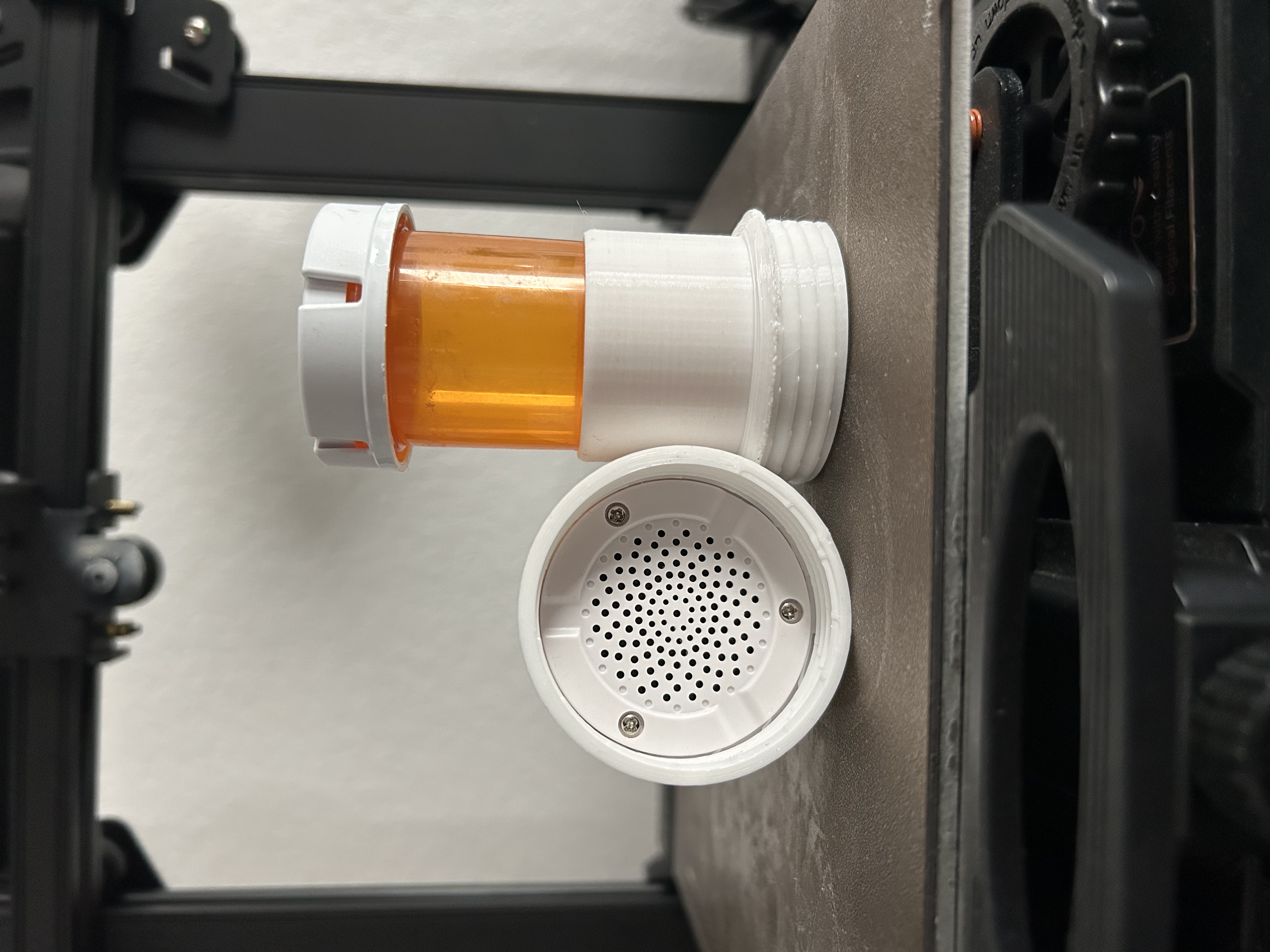
There are already some options already actually, but they are....pricey. Like, the price isn't even listed on the site pricey. And that's before you get to to the yearly subscription, refill for parts and components, and so on. All of this is still at no cost for the patient, but that doesn't change things for the pharmacy.
One option involves printing and place an RFID chip that is stuck to the bottom of the bottle. The user can use either a scanner that is given to them by the pharmacist to read the information to them, or use an app that reads the information as well.
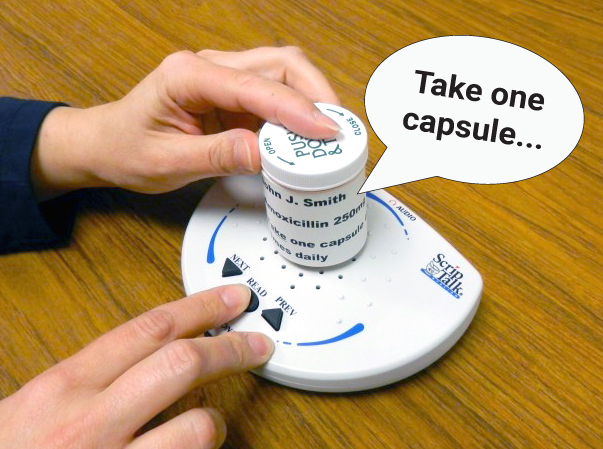
An option like this though involves the printer that makes the RFID chip, a yearly subcription, and a TON of set up. The documentation for it was like 90 pages of just setting up the printer. If you wanted to replicate this, but not spend a ton of money and time setting everything up, how could you do it?
First thing's first, we have to determine what we actually need to do. The solution a lot of these companies have is letting the patient have the prescription label be read aloud to them. The information is stored on the RFID chip, and the chip can be read by the reader. So we need to be able to store the information somewhere, and have it be ready to be read aloud to the patient.
One idea I pitched to do this was putting a QR code on the bottle. The patient could scan it with their phone and have the information read aloud by a screen reader on their phone. We ruled it out right away for two reasons. First, it assumes the patient has a smartphone and knows how to use QR codes. Second, the QR code would have to link to a public web page with the patient’s information. Anyone could find that page by accident, or by crawling for it on purpose, and learn about the patient’s medical needs.
So we need to store the information somewhere, and have it be read aloud to the patient. The pharmacist proposed the idea of a small microcontroller, a speaker, and a button. The microcontroller would store the information, and when the button is pressed, it would read the information aloud through the speaker. This way, the patient doesn't need a smartphone or any other device, and their information is kept private.
That's a great idea! Here's the issue though...I didn't know how to do any of that. 😓 I soldered once in a workshop, but that was just putting an LED on a PCB and making it light up when completing a circuit. There a massive chasm between that and making something that requires battery power, storing information, and a speaker system. Even if I COULD do all that, is it safe? Is it scalable? Is it reliable? Rather than trying to make all of that, surely there's something out there we can buy that does all of that already, right?
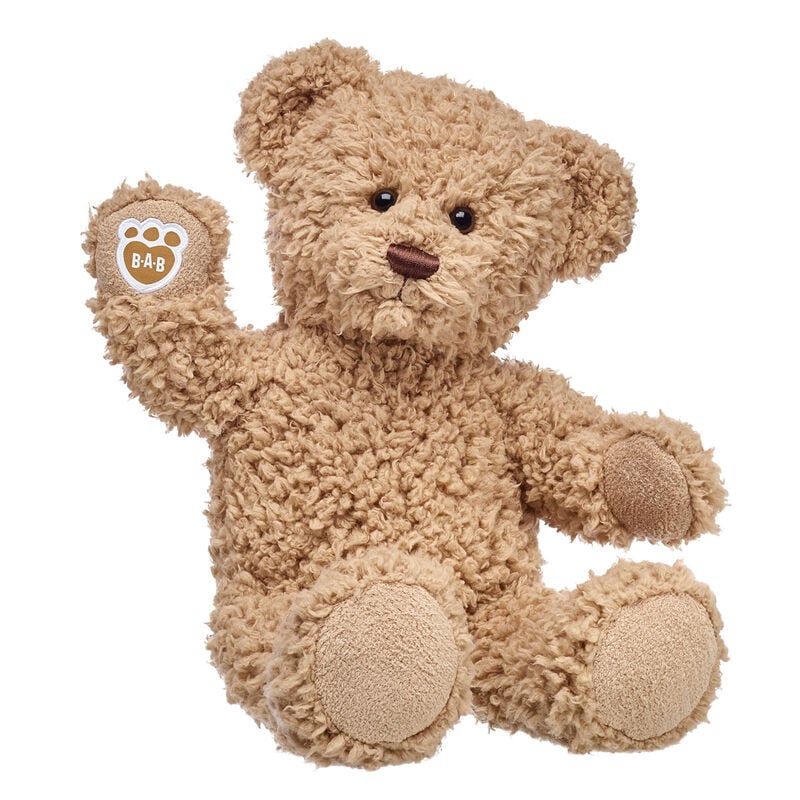
Turns out there is! The answer comes from build a bear. Not only are they cute, but the speakers in the bear have all the required pieces needed; they have power that lasts a long time, you can put up up 16 minutes of audio, you can play the audio with the press of a button, they are strong and resillient, and you can buy the speakers from amazon for $17 for a pack of 4.
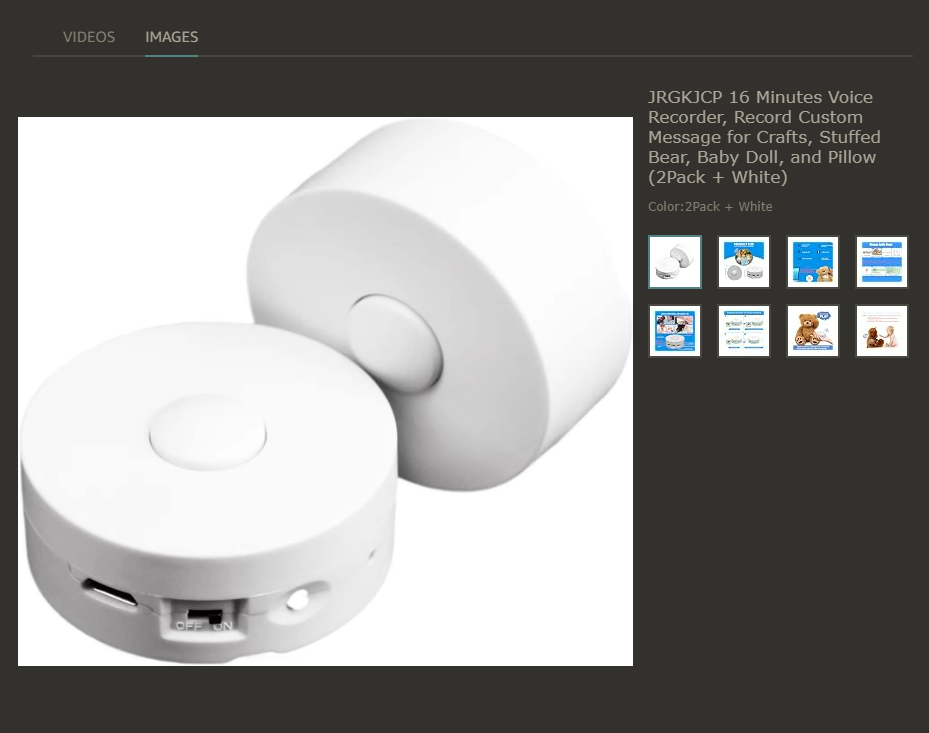
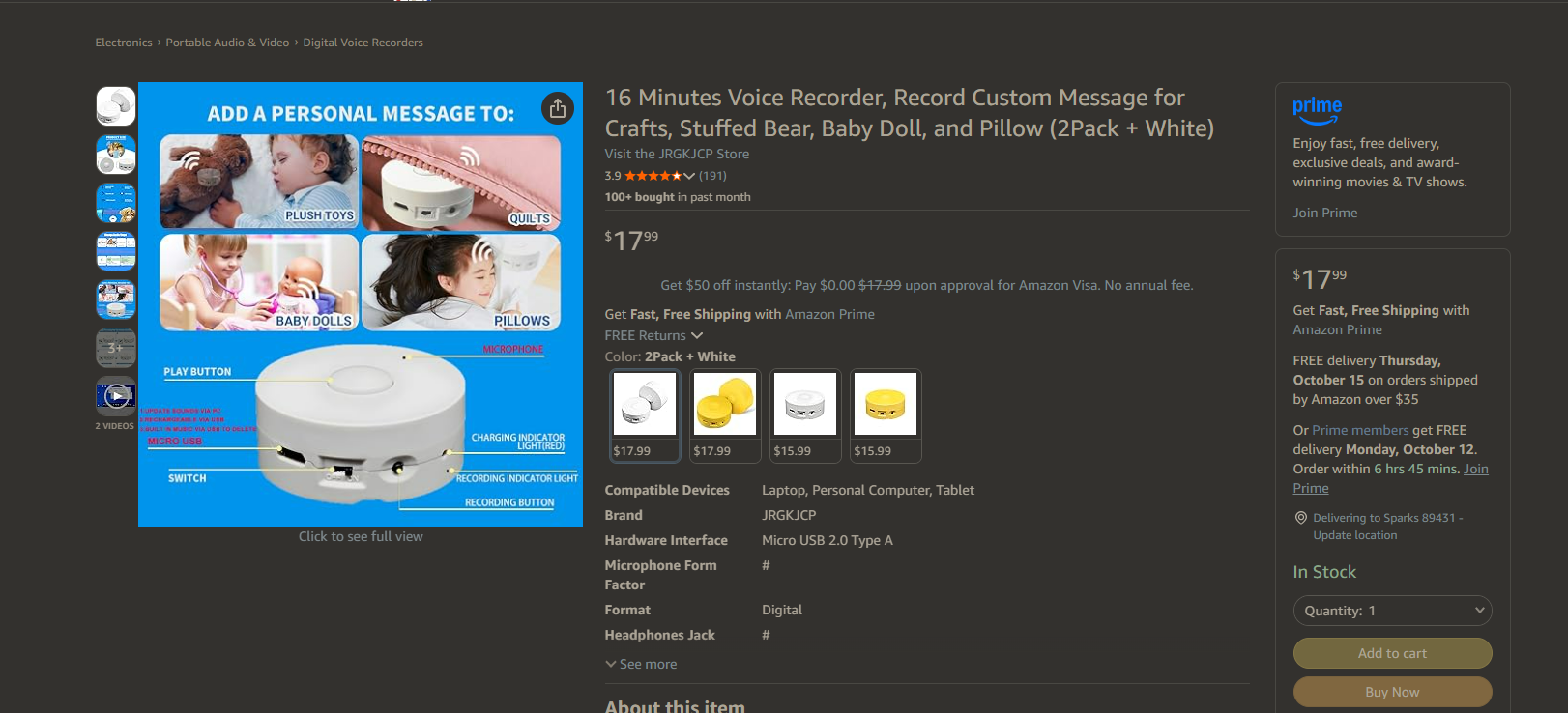
So we have the speakers, they meet all of our requirements, now we just need to figure out how to get the audio onto them. We thought of the pharmacist just recording the audio themselves, but that seemed unprofessional, and could lead to pateints being confused if there was a drastic change in he voices between prescriptions. How do we get clear audio that's consistent onto the device? Our answer was Azure Speech Studio.
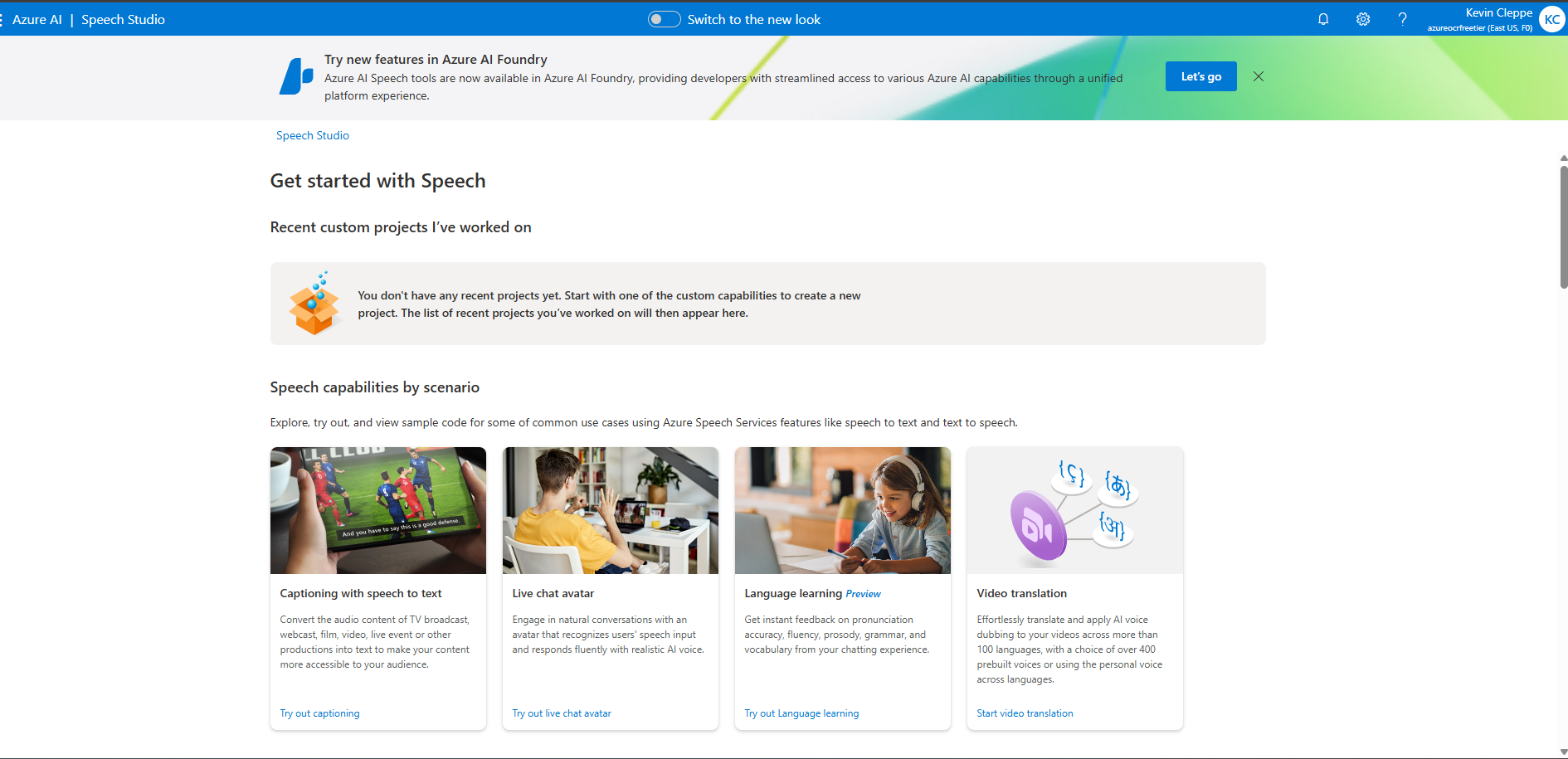
I originally played around with this when I was trying to copy Dale Markowitz's PDF to Speech Project but trying to replicate it with Microsoft products (I ended up being able to get the individual steps to work, but not the whole process. Turns out engineers from Google are very smart and hard to repliclate. Who could have guessed). One of the cool services that are available on it is converting text to speech. And the voices are really good! And there's a lot of them! If you are a college campus, you also 100% have some sort of contract with Microsoft that gives you access to Azure, and activating Azure speech studio would require maybe 1 or 2 conversations with your IT team. And you are only charged by the use, and the first 6 million characters are free, so I don't predict ever incurring any real cost with this platform.
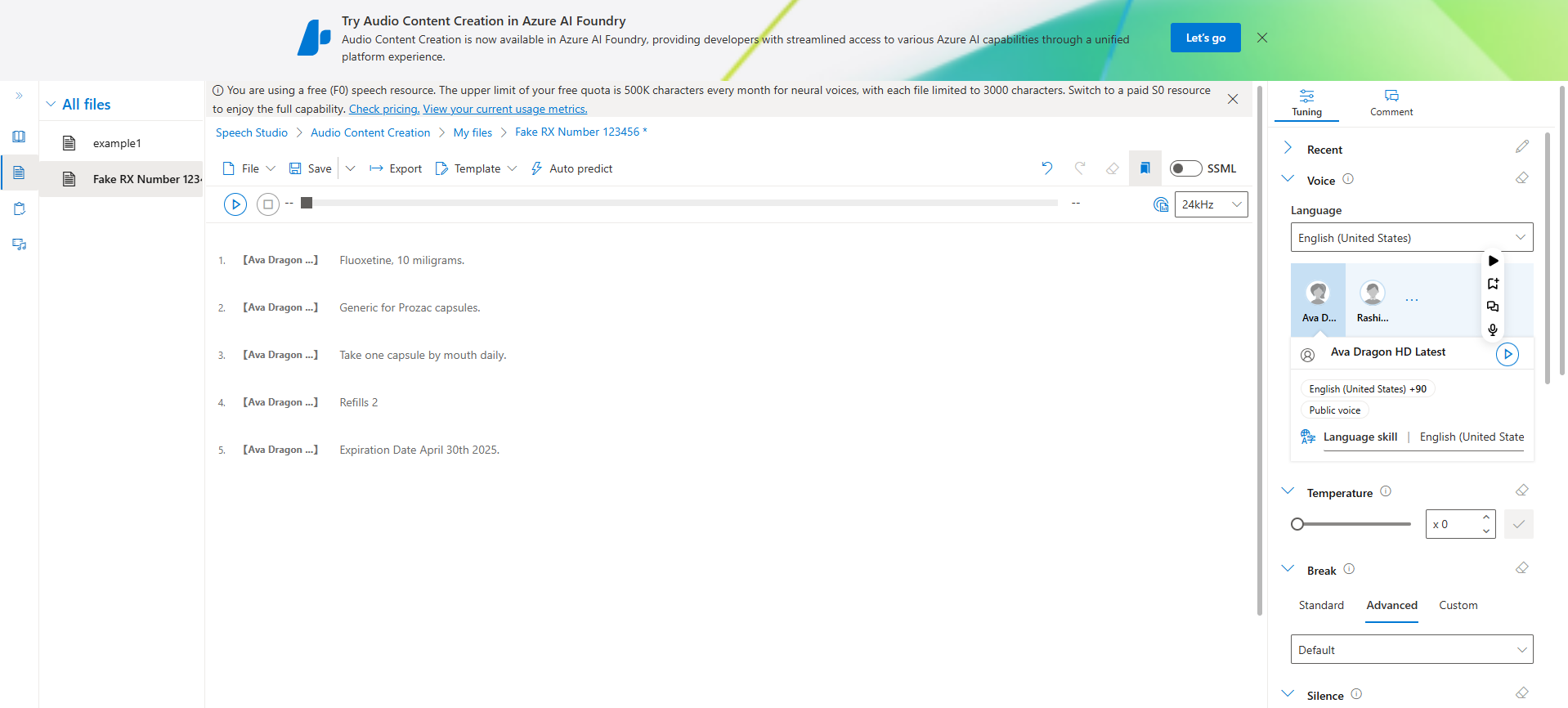
The work flow is fairly easy. You put your text into the center, pick a voice on the right, click save, and then export eith to your Audio Files Section, or download it. Below I have the audio that was initially generated when we were testing this (I have no idea what the prescription was for, this was just the first thing the pharmacist thought of):
So we have the speaker,with a long lasting battery and sturdy design taken care of, we have a way to generate the audio in a consistent, clear way, now we just have to put it onto the speaker. You just need to make sure you have the right cable (micro USB), plug it into the computer in question, download the MP3, and put it onto the speaker.
Now the fun question: How do we actually get this speaker to be combined with the prescription bottle? This where I went to TinkerCad (I did not have access to Fusion or SolidWorks at this time) to do some initial mocksups. I initially thought of something that could go over the top of teh bottle or attached to the bottle cap, but then I realized that it would probably be too top heavy, and easy to knock over. So I went with a sleeve type design that fit over the bottle (these can be adjusted depending on the bottle) from the bottom. I added some threads and a cap to the design, made sure the speaker could fit inside the cap, and added enough space so that the button would not be accessidentally pressed when the bottle was placed down. I also made this with PETG, to give it a little extra resistance to impact in case it was dropped. And even on a entry level Creality Ender 3 S1 printer, the dimensions you are capable of getting are so precise you can make a sleeve that fits pretty darn snug onto the botte.
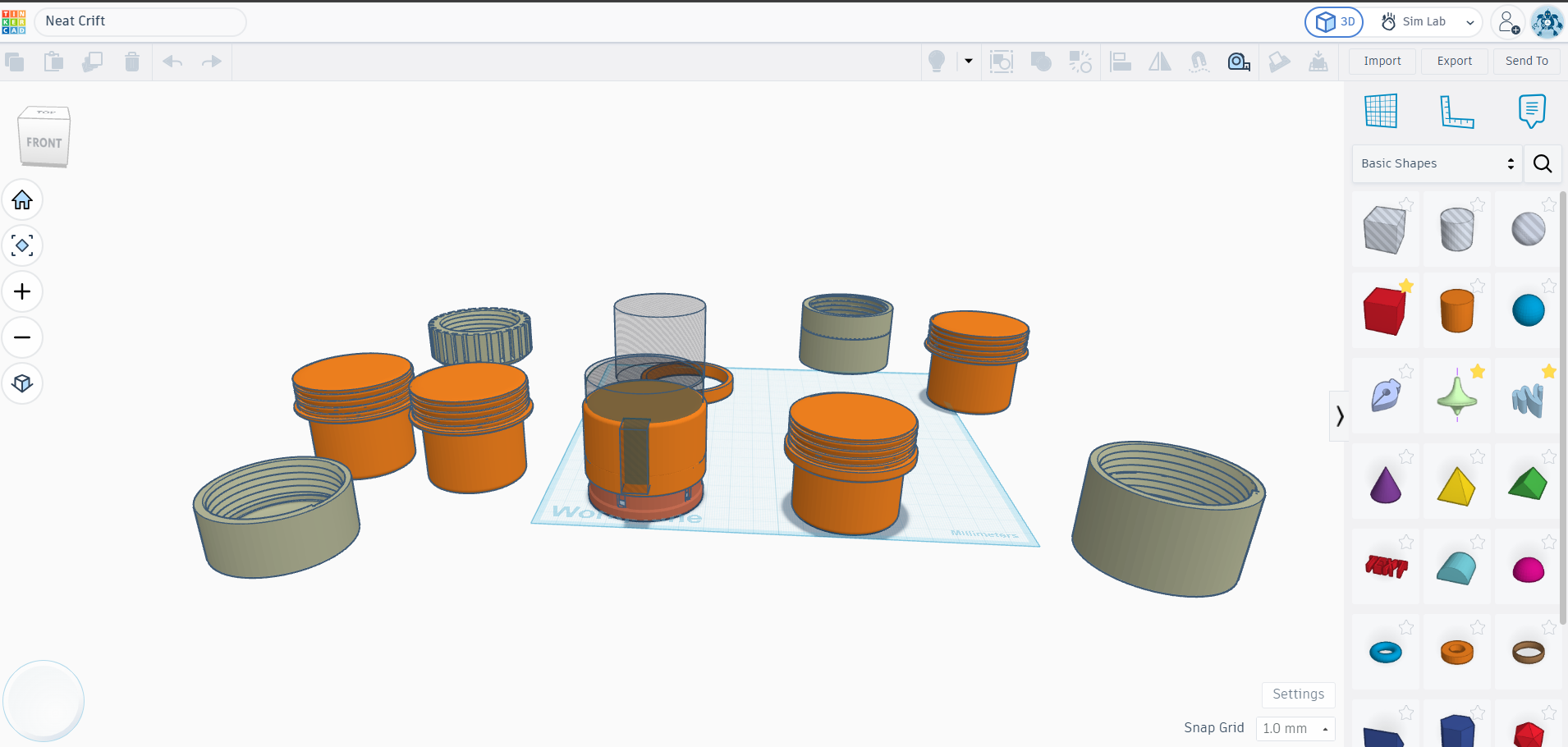
The result of all this? A customizable, accessible prescription bottle that can be used by patients with low vision or blindness. The pharmacist can record the prescription information using Azure Speech Studio, download the audio file, and transfer it to the speaker embedded in the bottle cap. The patient can then press the button on the cap to hear their prescription information read aloud, ensuring they have access to their medication details without needing additional devices or technology. And all for about $20.
I should also explicitly say: I do not feel like this project is done! This is just as far as we got when we were working on this. There is still a lot I'd like to change. How can we make the sleeve fit even better onto the bottle? Is there a better way to do the audio generation? How can we stream line this, and make sure there's zero room for error?